
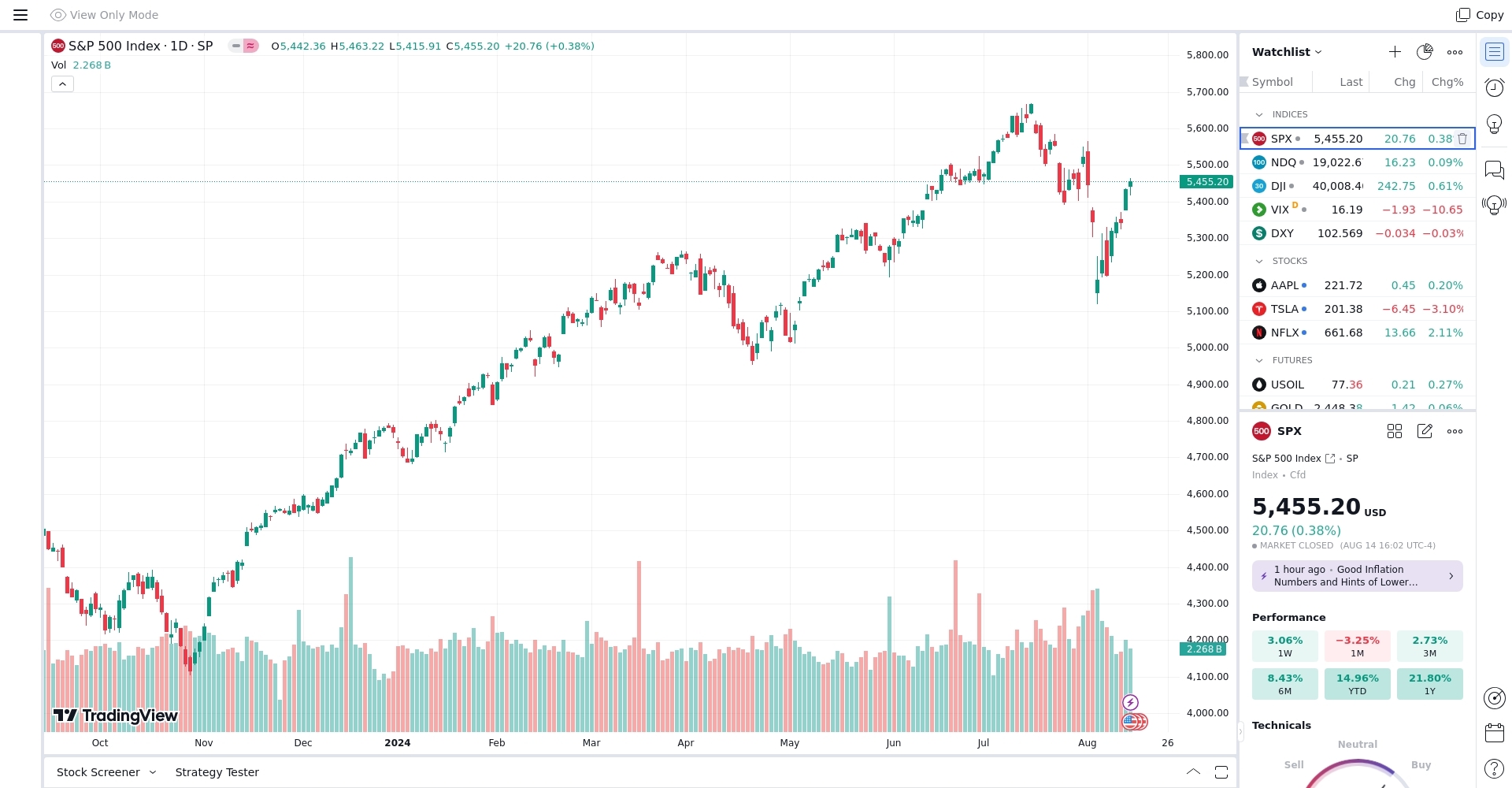
TradingView (often referred as “TradingView – Stocks & Crypto”) is a globally popular charting and analysis platform for financial markets — including stocks, cryptocurrencies, forex, commodities, indices and more. It’s not a broker or exchange itself. Instead, it offers powerful charting tools, data visualization, technical analysis, alerts, community features and more, accessible via web or mobile apps. (Religare Broking)
TradingView is widely used by both beginners and experienced traders — whether you want to just view price charts or perform advanced technical & fundamental analysis. (ValueRanker)

Key Features of TradingView
📈 Advanced Charting & Technical Analysis
-
TradingView supports multiple chart types: candlestick, line, bar, Renko, Heikin‑Ashi, point & figure, and more. (TradingView)
-
It offers hundreds of built‑in technical indicators (like RSI, MACD, Bollinger Bands, etc.) and drawing tools (trend lines, Fibonacci retracements, support/resistance, pitchforks …), which help analyse price patterns, trends, volatility, momentum and more. (Appvizer)
-
For those who like customisation: you can even write your own indicators or trading strategies using the built‑in scripting language — Pine Script. This is useful for backtesting strategies, setting custom alerts, or automating analysis. (Religare Broking)
🧰 Screener, Screen Layouts & Multi‑Asset Support
-
TradingView covers major global markets — not just stocks or crypto, but also forex, commodities, indices, etc. (ValueRanker)
-
You can use “screeners” to filter assets based on technical or fundamental criteria (e.g. high volume cryptos, low‑cap coins, high P/E ratio stocks, etc.). This helps you discover trading/investment ideas. (TradingView)
-
You can view multiple charts simultaneously (multi‑chart layouts), compare different assets side by side, and synchronise symbols, timeframes or drawings. Great for comparative analysis. (TradingView)
🔔 Alerts, Paper‑Trading & Broker Integration
-
TradingView lets you set custom alerts: price-based, indicator-based, or drawing‑tool based. Alerts can notify you via email, app, or even webhooks — useful to catch market moves even when you’re away. (TradingView)
-
You can practice trading with virtual money using paper‑trading mode. This is especially helpful for beginners to learn without risking real capital. (Stock Sunlight)

-
For certain supported brokers (or crypto exchanges), TradingView lets you connect your trading account — so you can place orders directly from TradingView charts. (finder.com)
🌐 Community, Ideas & Social Features
-
TradingView isn’t just a charting tool — it's also a social platform. Traders and analysts worldwide publish trade setups, chart analysis, predictions, educational content, and more. (legendsinvestor.com)
-
You can follow other traders, read their analysis, comment, discuss — useful for learning, validating ideas, and improving your own trading approach. (CoinMarketCap)
-
Because many users share custom scripts and indicators publicly, there’s a vast library of tools created by community members — ideal for traders of varying style and skill. (ValueRanker)
Benefits of Using TradingView (Why Many Traders Prefer It)
-
All‑in‑one platform: Whether you trade stocks, crypto, forex, or commodities — TradingView supports all. You don’t need different tools for each market.
-
Flexible for all levels: Beginners can use basic free features (charts, basic indicators, watchlists), while advanced traders can go deep with custom scripting, backtesting, multi‑asset screening, etc.
-
Cloud + Multi‑device sync: Your charts, settings, watchlists sync across devices — so whether you open on mobile or desktop, your layout remains the same. (legendsinvestor.com)
-
Community & Learning: The social aspect helps novices learn from seasoned traders — seeing real setups, reading analysis, and discussing ideas.
-
Non‑invasive entry: You can start for free (no credit card needed) and explore basic tools. Only unlock paid features if you need more advanced functionality. (Appvizer)
Limitations & Points to Keep in Mind
As good as TradingView is — it’s not perfect. There are some trade‑offs and things to watch out for:
-
The free plan has limitations: e.g. less number of indicators per chart, fewer charts per layout, limited alerts, etc. (finder.com)
-
Some users report that real-time data — especially for fast-moving instruments (like high‑volatility cryptocurrencies) — may lag a bit, which can be a drawback for scalping or very short-term trading. (Reddit)
-
For placing actual trades, you need to connect a supported broker/exchange — not all brokers integrate smoothly everywhere. (finder.com)
-
Because of the sheer number of community ideas/strategies shared, quality varies widely — one must exercise judgment and not blindly copy.
Who Should Use TradingView?
TradingView is suitable for multiple kinds of users:
-
Beginners & learning investors: Those starting with stock/crypto trading — to learn chart reading, practice via paper‑trading, follow other traders’ ideas, and build a foundation.
-
Intermediate & advanced technical analysts: Those who use technical indicators, chart patterns, multi‑timeframe analysis — especially with custom scripts or backtesting.
-
Active traders & swing/short-term traders: Because charts are powerful and real‑time-ish, you can track multiple assets, set alerts and react quickly to market moves.
-
Long-term investors: Even for investors, comparing fundamentals (balance sheet, P/E ratio, etc.), overlaying charts, and tracking macro data can help with informed decisions.
My Take & Final Thoughts
TradingView stands out because it blends powerful analysis tools with social & community features, all in one platform — making it both a personal toolkit and a collaborative space. For many traders worldwide, it has become the go-to place to chart, analyse, watch live markets, test strategies, and learn.
However — like any tool — it has trade‑offs. If you’re relying on real-time trading (scalping, high-frequency trades), the occasional lag might be a disadvantage. If you just blindly copy community ideas without research — you may end up with bad trades. Also, advanced users may need paid plans for full features.
If you are new to trading — I’d recommend starting with TradingView’s free plan, exploring charts & basic indicators, and doing paper‑trading. Once you’re comfortable, you can slowly dive into scripting, backtesting, and using more advanced tools.