
The Bitcoin.com Wallet is a cryptocurrency wallet application (available for mobile and also web/desktop) developed by Bitcoin.com. Its purpose is to let you buy, hold, send, receive, trade, and manage cryptocurrencies — not just the original Bitcoin (BTC), but also other cryptocurrencies such as Bitcoin Cash (BCH), Ethereum (ETH), and a range of tokens (ERC‑20 and more), depending on what the wallet supports. (CryptoSlate)
In simple terms: the app works like a “wallet” for digital money (crypto) — but instead of physical cash, it stores digital keys (private keys) which let you access and control your crypto. These wallets are sometimes called "non‑custodial" or "self‑custody" wallets, meaning only you — the user — control your funds; not Bitcoin.com or any other company. (CryptoSlate)
The wallet also provides features such as buying, selling, and swapping cryptocurrencies directly inside the app; a built-in marketplace; support for decentralized apps (dApps); and tools for managing multiple wallets or accounts inside the same app. (bitcoin.com)

All this makes Bitcoin.com Wallet more than a simple “store and send” wallet — it tries to be an all‑in‑one platform for many crypto needs.
Key Features and Advantages
Here are some of the main benefits and features of the Bitcoin.com Wallet app:
✅ Non‑custodial / Self‑custody
-
The wallet gives full control of private keys to the user. That means no third party (not even Bitcoin.com) can access or control your funds. (CryptoSlate)
-
Because of that, you can “port” (move) your crypto assets to other wallets any time — giving you freedom and flexibility. (CryptoSlate)
✅ Multi‑chain & Multi‑currency Support
-
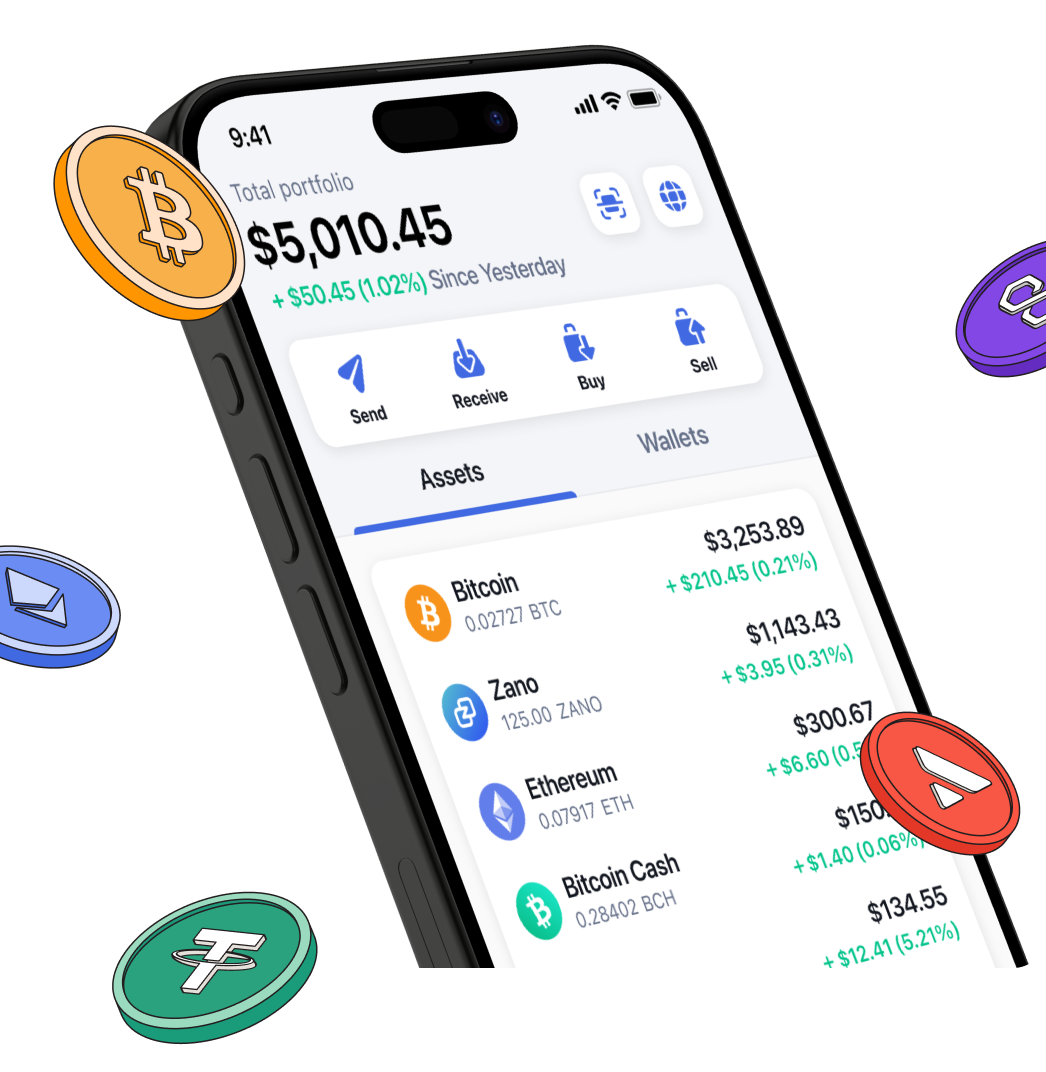
The wallet supports Bitcoin (BTC), Bitcoin Cash (BCH), Ethereum (ETH), and many other cryptocurrencies / tokens — which is useful if you want to hold a diversified crypto portfolio. (bitcoin.com)
-
It supports ERC‑20 tokens (on Ethereum and compatible networks), and potentially more blockchains (depending on wallet updates). (CryptoSlate)
✅ Buy, Sell, Swap & Trade Built‑In
-
Users can buy crypto (via credit card, bank account, payment apps, etc.), sell, or instantly swap between supported cryptocurrencies inside the app. (Bitcoin.com Wallet)
-
This integration can make things simpler, especially for users who don’t want to use a separate exchange + wallet. (bitcoins.net)
✅ dApp Browser & Web3 / DeFi Access
-
The wallet includes a dApp browser, which means you can directly interact with decentralized applications (dApps), DeFi protocols, NFT marketplaces, and other blockchain‑based services — without leaving the wallet. (bitcoin.com)
-
This lets you explore more advanced crypto use-cases beyond simple sending/receiving — such as trading, lending, NFTs, decentralized exchanges. (CryptoSlate)
✅ Security and Convenience Options
-
You can secure your wallet with PIN, fingerprint, or facial ID, depending on your device — so only you can access the app. (support.bitcoin.com)
-
Automated cloud backup is possible: instead of manually storing a long seed‑phrase (private key), the wallet allows backup via a master password + cloud (Google or iCloud) — easier for many users. (Bitcoin.com Wallet)
-
You also control the network fees (gas fees) when sending crypto — you can choose faster confirmations or lower cost depending on your priority. (App Store)
-
The wallet supports multiple “sub‑wallets” or accounts inside it — useful for managing savings, spending, or segregating funds. (CryptoSlate)
What Users / Critics Say — Pros & Cons (Caution & Criticism)
While Bitcoin.com Wallet has many appealing features, there are also drawbacks, criticisms, and risks which you should be aware of — especially if you are new to crypto or not careful.
⚠️ Community/User Complaints & Criticism
Some users and reviewers report serious issues. For example:
-
One user on Reddit said:
“When I try to send 2 BitcoinCash transactions back to back... the 2nd transaction will fail to sign with an error message ‘Failed to Sign Transaction’.” (Reddit)
-
Others mention “app glitches”, “transaction failures”, or “login/problems with wallet restore.” (Reddit)
-
Some users feel the wallet is “not open‑source,” which raises trust and auditability concerns. As one comment puts it:
“It’s one of the worst wallets due to it having a large attack surface, missing important features … not open source or peer reviewed.” (Reddit)
-
There are claims (especially from critics) that the app sometimes confuses or misleads new users — e.g. pushing them toward buying BCH (Bitcoin Cash) instead of BTC. (Reddit)
⚠️ Security / Technical Limitations (Relative to Ideal Wallets)
-
According to some third‑party research, the Bitcoin.com Wallet is not a fully peer‑to‑peer (P2P) wallet: it uses intermediate services and doesn’t directly connect to the Bitcoin network. That means it may not be “fully decentralized” in practice. (NSF Public Access)
-
Though cloud backup is convenient, storing encrypted keys on cloud (even with password) carries some risk compared to manual seed‑phrase backup — especially for large holdings.
⚠️ Hidden / High Fees & Poor Customer Support (Per Some Reports)
-
Some complaints mention “high and unclear fees,” especially when buying crypto via credit card or third‑party processors. (bitcoins.net)
-
Others mention “poor customer support,” or even that support fails to respond properly when issues arise. (bitcoins.net)
-
Because of these, for large amounts of crypto or long-term holdings, some users feel the risks may outweigh the convenience benefits. (bitcoins.net)
Who Is Bitcoin.com Wallet Good For — And Who Should Be Careful / Maybe Avoid It
👍 Good For
-
Beginners or casual crypto users — who want a simple, easy‑to‑use wallet + the ability to buy, swap, and manage multiple coins without complex setups.
-
Users wanting convenience — those who don’t want to manage multiple wallets or learn command‑line tools; the wallet’s UI + integrated marketplace + cloud backup makes things straightforward.
-
People exploring Web3 / DeFi / dApps — because of the integrated dApp browser and token support, it’s easy to experiment with decentralized services, NFTs, swaps, etc.
-
Users holding small to moderate amounts — if you are not storing a huge portfolio, the convenience may outweigh the risks for you.
⚠️ Should Be Careful / Maybe Avoid If:
-
You hold large amounts of crypto and want maximum decentralization/privacy and long-term security — a hardware wallet or a fully open-source wallet might be safer.
-
You are privacy‑conscious — because use of intermediate services and potential non‑P2P architecture can compromise decentralization. (NSF Public Access)
-
You need reliable customer support — since there are reports of poor support, failed transactions, and wallet‑restore problems.
-
You dislike hidden or high fees — especially when buying crypto via credit card / third‑party processors.
Important Tips (if You Decide to Use Bitcoin.com Wallet)
If you choose to use Bitcoin.com Wallet — and many people do — here are some best practices to reduce risks and use the wallet more safely:
-
Enable app lock & spending authentication (PIN / fingerprint / face ID) — it's available in settings, and ensures extra security each time the app is opened or a transaction is made. (support.bitcoin.com)
-
Backup your wallet properly: if you choose cloud backup, use a strong master password; but for better security, consider writing down your seed phrase (if provided) and store it safely (offline). (bitcoin.com)
-
Double-check before sending crypto — ensure you are sending to correct addresses, and maybe start with small amounts if it's a new wallet or new transaction type.
-
Be aware of fees — sometimes buying crypto via credit card or third‑party may involve high / hidden fees; read carefully before confirming.
-
Consider using a hardware wallet for large amounts or long‑term holding — for serious investment or long-term storage, a hardware wallet is often recommended.
My Verdict: Balanced — Good for Beginners / Casual Use, Less Ideal for Heavy Users
The Bitcoin.com Wallet app has a lot of strong suits: it is user‑friendly, supports many cryptocurrencies, allows buying/selling/swapping, gives access to DeFi/dApps, and is convenient — especially for those who are new or want simplicity.
However, it also has important drawbacks: potential bugs, occasional user complaints, possible high/hidden fees for certain services, and privacy / decentralization trade‑offs (since it’s not fully peer‑to‑peer).
So — if you are a “casual user”, experimenting, or holding small amounts and want convenience — it can be a reasonable choice. But if you care deeply about privacy, decentralization, or are holding significant crypto, you might want to think twice and maybe consider a more “secure by design” solution (for example — a hardware wallet or a wallet that’s fully open‑source + peer‑to‑peer).
Final Thoughts: What This Means For You (and What to Watch Out For)
Using a crypto wallet — especially a “multi‑chain / multi‑coin / multi‑purpose” wallet like Bitcoin.com Wallet — can offer a useful balance between convenience and functionality. But with that convenience comes trade‑offs: less decentralization, reliance on company services/intermediates, and potential issues around fees, bugs, and support.
If you decide to use it: treat it like a tool — with care, security consciousness, and clear understanding of what you’re doing. Don’t treat crypto wallets like bank accounts; treat them like keys to a safe — if you lose control, there is little to no recourse for most mistakes.