
When people say “Instagram video downloader,” they usually mean a third‑party tool (website or app) that lets you download videos (or Reels, Stories, IGTV videos) from Instagram to your own device (phone / PC / tablet).
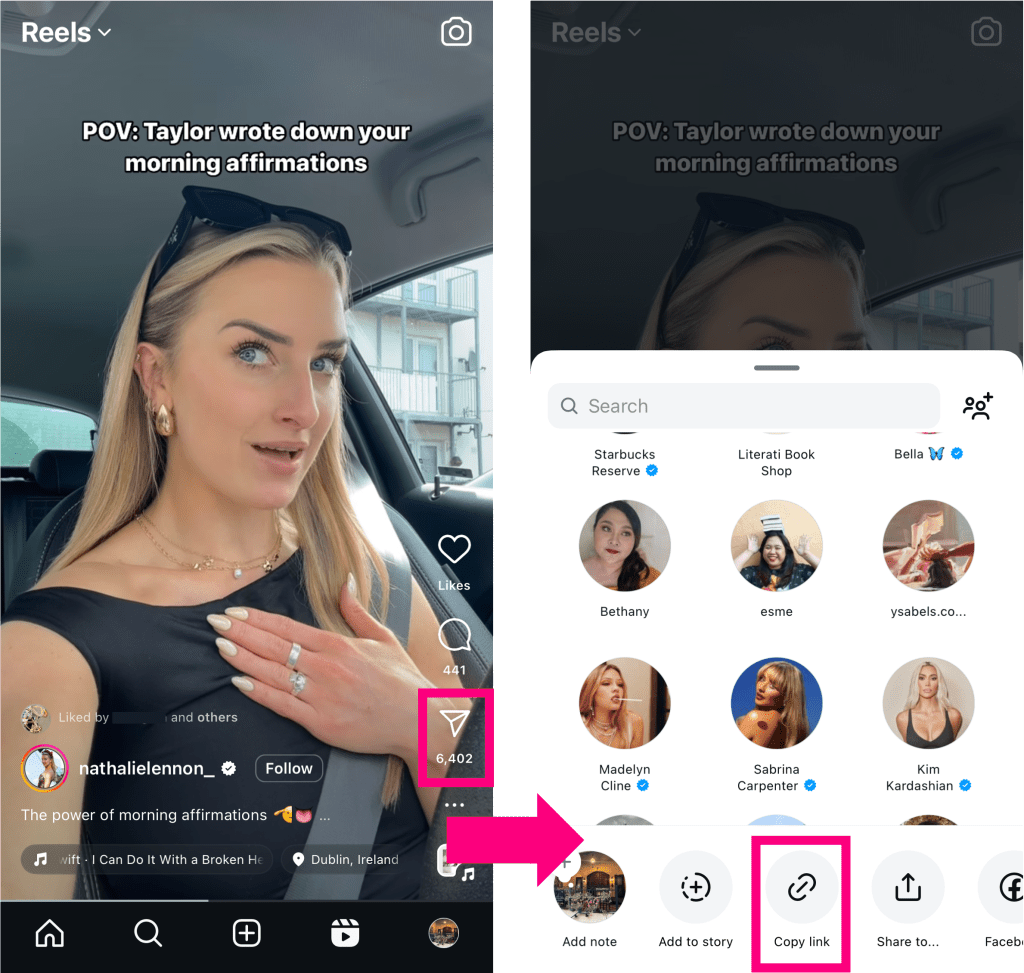
Here is the typical process:
-
You browse Instagram, find a video/reel/story you like.
-
You copy the video’s link (URL).
-
You open the downloader tool in a browser, paste the link into the input box.
-
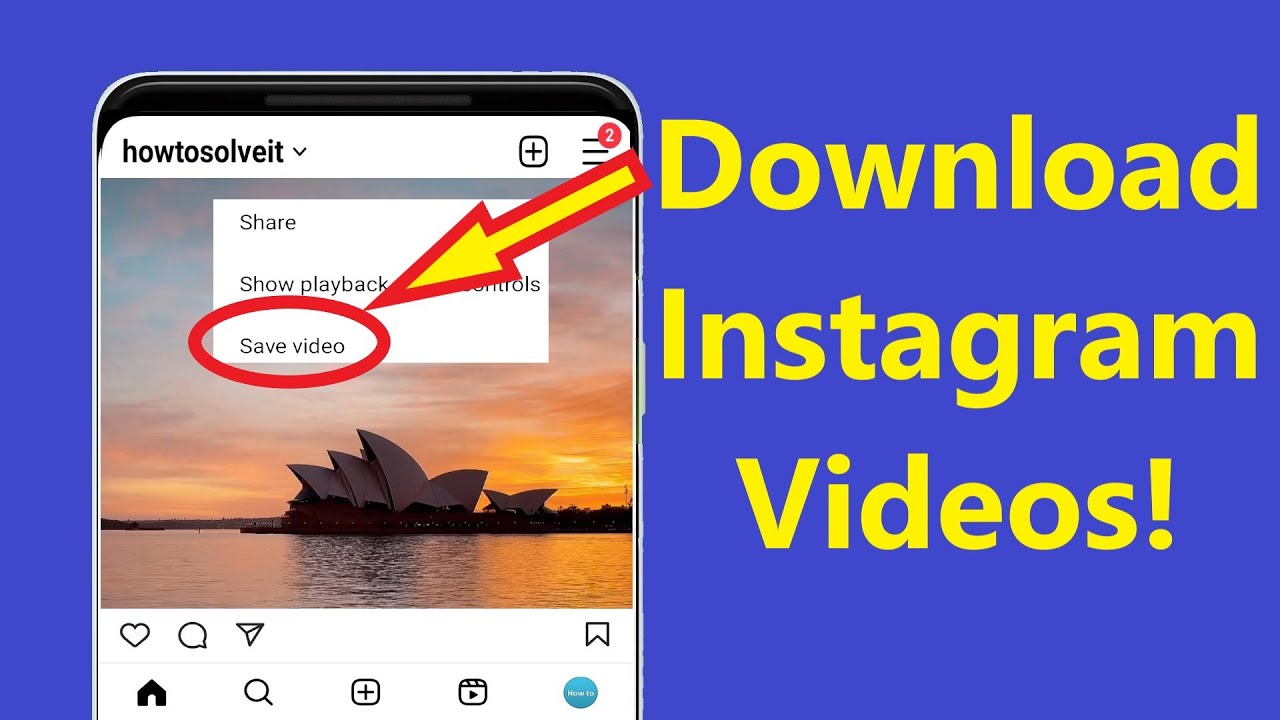
You click “Download.” The tool fetches the video file and lets you save it to your device (usually as an MP4 file). (evoig.com)
-
The downloaded video is stored locally, so you can view it offline anytime.
Many such tools claim to work for public videos on Instagram — photos, video posts, Reels, Stories, IGTV, or even carousel posts. (iigram.in)
The appeal is obvious: Instagram does not offer a native “download” button for most content, so if you want to save a favourite reel or video, such downloader tools promise a quick solution.
What Happens “Under the Hood” — How Do These Tools Work?
Understanding how downloader tools work helps you evaluate whether they’re safe or suspicious. According to tech‑analysis of such services: (Enos Tech)
-
Public URL fetching: The tool only needs the public video URL to fetch the video data. It doesn’t need your Instagram credentials if the video is public. (IG Media)
-
No login needed: Safe tools don’t ask for your Instagram login details. They simply process the shared link and allow download. (IG Media)
-
Format & quality: Typically, the downloaded video is provided in standard formats (like MP4) and usually retains the original resolution (or close to it), if the tool is functioning well. (evoig.com)
-
Temporary link generation: Some tools generate time-limited download links (so they expire quickly), which helps control unauthorized sharing — though this mechanism mostly defends the tool provider, not legal protection. (Enos Tech)
In short: legit downloader tools act as a bridge — they fetch publicly available media from Instagram servers and hand you a downloadable file, without needing special permissions.
What Are the Risks & Downsides?
Using an “Instagram video downloader” is not risk‑free. In fact, there are significant security, ethical, and legal risks associated with many such tools.
🔒 Security & Privacy Risks
-
Malware / spyware: Many free “downloaders” are run by unknown/unverified developers. Some may inject malicious scripts, trackers or adware when you visit their site. (Video Reddit Trend)
-
Phishing / account theft: Tools that ask for Instagram login credentials — or push you to “log in to download” — are extremely dangerous. They may steal your username/password, or session cookies, giving attackers access to your account. (IG Media)
-
Aggressive ads and pop‑ups: Some downloader sites bombard you with misleading “Download” buttons, fake warnings (“Update Flash now!”), or ad windows — all tricks to lure you into dubious downloads. (Video Reddit Trend)
-
Poor transparency: Often these tools are anonymous, lacking clear privacy policies or ownership information. That means no accountability if they misuse your data. (Video Reddit Trend)
📄 Legal & Ethical Issues — Copyright + Terms of Use
-
Copyright infringement: All videos on Instagram are original works, so the creator (or uploader) retains copyright. Downloading someone else's video — even if publicly available — does not automatically give you rights to reuse, redistribute, or monetize it. (instadownloader.in)
-
Violation of Instagram’s Terms of Service: Many downloader tools go against Instagram’s rules by scraping or downloading content without explicit permission. Using these may put you at risk of account suspension — especially if the tool requires login or automated access. (softwarecosmos.com)
-
Reposting is more risky: Downloading for personal offline use is one thing — but reuploading, sharing on other platforms, or using for commercial benefit are generally not covered under “fair use” and often require explicit permission from the original creator. (IG Media)
✅ Practical Downsides: Quality & Reliability
-
Poor quality or watermarked downloads: Some downloaders compress video or degrade audio/video quality. Others may even add watermarks or lower resolution — defeating the purpose of “saving a clean copy.” (Drink AstroBliss)
-
Unreliable performance: Sometimes the downloader may fail — stuck at 0%, or report “private link,” especially if the post gets deleted or privacy settings change. (IG Media)
-
Limited support for private content: Legit tools usually cannot download videos from private Instagram accounts, because they can’t access content behind login walls. (IG Media)
When (If Ever) Is It “Safe Enough” to Use a Downloader?
Given the risks above — is there a “use case” where using an Instagram video downloader makes sense and is relatively safe? Yes — but only under certain conditions:
-
The video/post is from a public account (not a private account). (IG Media)
-
You are using the downloaded video strictly for personal, offline use — e.g. to view later, or keep as a private copy. Not for public sharing or commercial reuse. (instadownloader.in)
-
You trust the tool you are using — it’s well-known, doesn’t ask for login/password, doesn’t push suspicious downloads or aggressive pop‑ups, and ideally has positive user feedback. 👍 (Goa Chronicle)
-
No attempt to violate copyright or the rights of the creator — always better to get permission if you plan to reuse or share content.
Even then — there’s no guarantee. Many downloader sites change frequently; some may start safe but turn malicious later. So you must stay alert.
Why Many Experts Warn Against Using These Tools
Because of the combination of risks — from malware and privacy theft to legal issues — many tech‑security blogs and digital‑rights commentators warn users against relying on free “Instagram video downloaders.” (Drink AstroBliss)
Some key concerns:
-
The “free” service often costs your privacy or security. Free doesn’t always mean safe — many free tools monetize by tracking users, injecting ads, or worse. (Drink AstroBliss)
-
Copyright holders’ rights matter. Downloading and saving someone’s video without permission undermines their control over their own content — ethically problematic if you reuse or repost. (instadownloader.in)
-
Platform terms of service. By using such tools you may be violating the terms of the platform. That can lead to more than just moral issues — possibly account suspension or legal risk. (softwarecosmos.com)
In short: the convenience of “save now, watch offline later” is tempting — but comes with a serious package of potential problems.
What Should You Do — Safe Alternatives & Best Practices
If you still want to save Instagram videos—but want to do so responsibly and with minimal risk — consider these best practices:
-
Use built-in features: Instagram sometimes allows “Saving” posts inside the app (to your saved collection) — that way you don’t need an external downloader.
-
Ask permission: If you want a video for offline use or for sharing, message the original creator and ask if they can share the video file with you directly.
-
Stick to trusted tools (if you must): If you absolutely must use a downloader, use ones with good reviews, no login prompts, and transparent policies — and always check the URL has
https. -
Avoid sharing / reposting downloaded content publicly without permission — especially for commercial use.
-
Keep security software up to date: Use antivirus or malware protection if you’re going to download anything via third‑party sites.
In many cases: the best (and safest) way to respect both your privacy and the content creator’s rights is not to download at all — unless absolutely necessary and with proper consent.
Conclusion
“Instagram video downloader” tools can look like quick, easy solutions for saving videos — but they come with a trade‑off. While the technical side (copy link → paste → download) is straightforward, the broader consequences — privacy risks, legal and ethical responsibility, potential malware — make many such tools far from harmless.
If you want to use a downloader, do so with caution, respect, and awareness. Ask yourself: Do I really need this video locally? Am I willing to take the security risk? Am I respecting the creator’s rights? If the answer is uncertain, it’s often better to avoid the downloader altogether.
Ultimately — saving Instagram content can feel tempting. But a little care and responsibility goes a long way in keeping you safe, and respectful of others.