
In the fast‑changing digital world, content creators now have access to powerful tools powered by artificial intelligence — many of them free. Whether you’re writing blog posts, designing visuals, polishing text, or creating social media graphics — there are AI tools that can make your work easier, faster, and often more creative. In this article, we’ll explore some of the best free AI tools available in 2025 for content creation.
Why Use AI for Content Creation?
Creating good content — whether it’s text, images, or social‑media graphics — takes time. You need ideas, you need drafts, you need editing, and often you need visuals that attract attention. AI tools help by doing part of this work for you: ideating, writing, suggesting improvements, even generating images. For bloggers, marketers, students, or anyone who creates content, AI can reduce workload and make things smoother.

With more free tools available in 2025 than ever before, now is a great time to try using AI to boost your content creation process.
Top Free AI Tools for Writing & Content Drafting
Writing is often the first step in content creation. If you have to write blog posts, articles, social media captions, or emails — these AI tools can help a lot.
ChatGPT (Free Tier)
Generative AI from OpenAI remains one of the most versatile tools for text-based creation. The free version is powerful enough for: drafting blog posts, brainstorming ideas, generating social media content, outlines, and even rewriting or summarizing text. (ai.xarkas.com)
Because of its flexible tone, context awareness, and ability to structure content, ChatGPT is especially useful when you want fast drafts or need help to overcome writer’s block.
Writesonic (Free Tier)
If you are a blogger, marketer or manage content for websites, Writesonic offers an attractive free plan that lets you create content like blog posts, web copy, or marketing copy. It’s tuned for SEO content, which makes it helpful when you want your post to reach more readers through search engines. (ai.xarkas.com)
Drafting + Templates: Quick & Easy Start
Other tools and platforms — including those built into design suites — also provide helpful writing assistance. For instance, some design‑oriented tools now include AI-driven writing helpers that can generate captions, headlines, or short text — handy when you pair them with visuals. (Nucleoanalytics)
AI Tools for Visuals & Design
Good content isn’t only about words. Visuals — like featured images, blog banners, social media graphics — matter a lot. Thankfully, there are free AI tools for that too.

Canva / Canva AI
Canva has become more than a drag‑and‑drop design tool. Its AI-powered features — such as “Magic Design” and built-in image generation — allow users to create banners, thumbnails, infographics, social media posts and more, even without design skills. The free version gives enough flexibility for small and medium content projects. (NETLOKA)
Using Canva AI, you can quickly generate or customize designs for blog posts, promotional material, or social media content — a good fit if you want to combine writing and visuals without switching many tools.
Browser-Based Editors: Pixlr (and similar tools)
For basic image editing tasks — photo touches, background removal, resizing, and quick edits — Pixlr offers a free, browser-based solution. You don’t need to install software, and the AI features make editing simpler for non‑designers. (AI Apps)
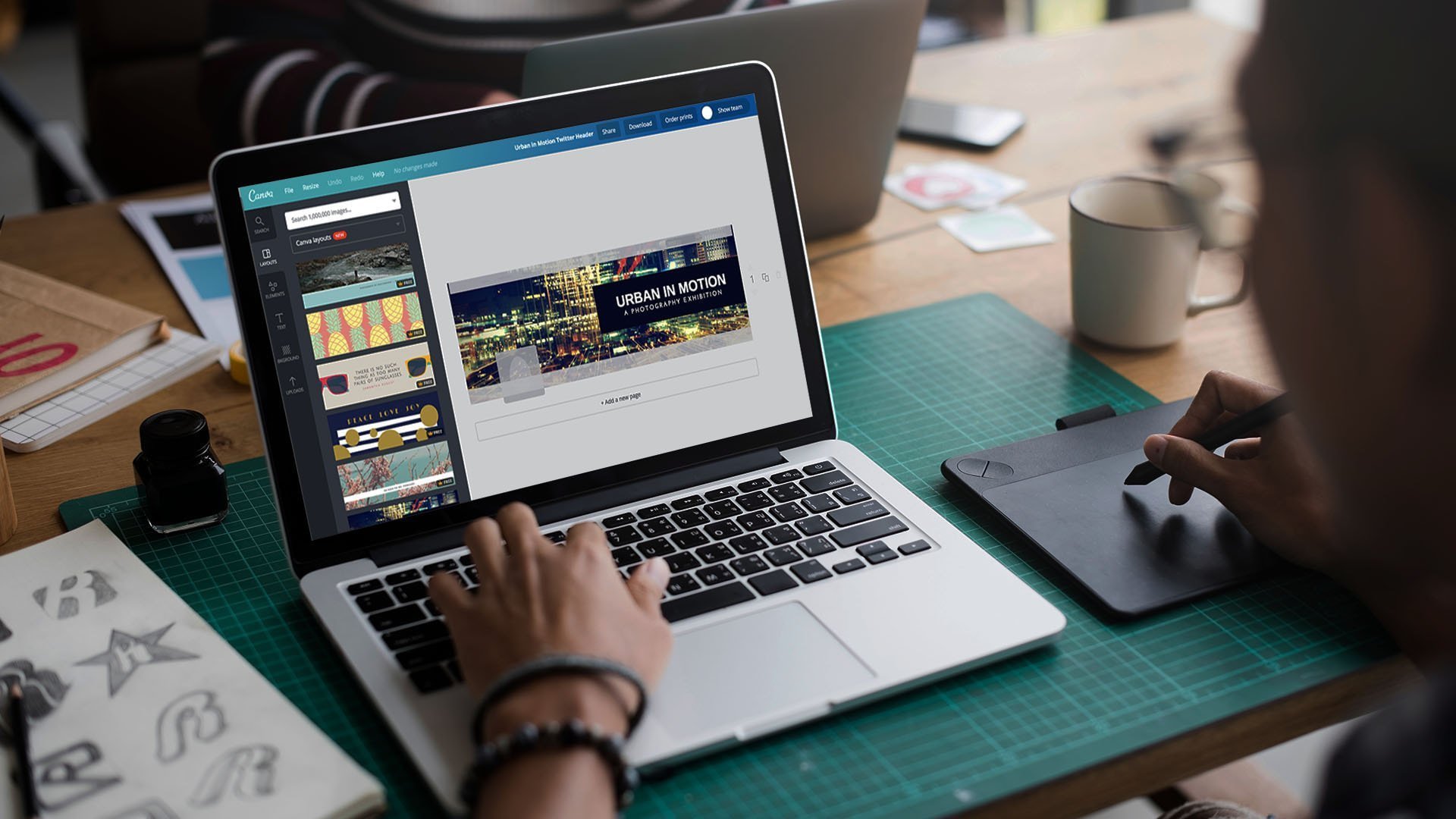
Such tools are useful if you want to polish images, adjust colors, or prepare graphics without complicated software — especially useful for social media posts or blog header images.
Tools for Polishing, Editing & Content Enhancement
After writing and designing, you often need to refine your content — check grammar, style, tone — so that what you publish feels clean and credible.
Grammarly (Free Version)
Even if you write or generate content with AI, a proofreading tool helps make it understandable, professional, and confident. Grammarly checks grammar, spelling, and suggests simple style improvements. It’s a small but important step before publishing. (ai.xarkas.com)
Combined Workflow: From Draft to Publish
One effective strategy many creators use is: draft the content using an AI writing tool ➝ refine and polish using Grammarly (or similar) ➝ generate or select visuals using Canva/Pixlr ➝ finalize and publish. This workflow helps speed up the entire process while ensuring reasonable quality.
What’s Important to Keep in Mind
Using AI tools brings many advantages — speed, ideas, design support — but there are also limitations. AI output isn’t always perfect. Sometimes sentences or phrases may sound generic, or visuals may need extra editing to look professional.
It’s wise to treat AI output as a first draft rather than a final product. As a human creator, you should review, edit, improve, and add your own style. This helps your content stay genuine, clear, and more engaging for readers.
Also, the free tiers often come with usage limits or fewer features compared to paid versions. For example, you may get limited image generations per month or basic text capacity. For small or occasional projects, free versions are enough — but for heavy content work, you may eventually consider upgrading.
Why These Tools Work Well Together
The combination of writing‑AI + editing‑AI + design‑AI covers almost all the needs of modern content creation:
-
Writing and idea generation (ChatGPT, Writesonic)
-
Editing and polishing (Grammarly)
-
Visuals and graphics (Canva, Pixlr)
For bloggers, freelance writers, or small‑business content creators — this mix allows you to produce complete content (text + visuals) without needing a large team or specialized skills.
Because these tools are free (or have free tiers), beginners and small‑scale creators especially benefit: you can start creating content immediately, experiment with style, and gradually build confidence and habit.
Final Thoughts
In 2025, the free AI tool ecosystem is mature enough that almost anyone with a laptop and internet connection can start creating decent content — blogs, social‑media posts, designs, even small marketing campaigns — without paying a penny upfront.
The key is to use AI as a helper, not a replacement. Let it do the heavy lifting — draft creation, quick design, basic editing — and you add the human touch: context, authenticity, creativity, final polish.