
Why Use Facebook Ads — And Why It’s a Good Start
If you’ve ever thought about advertising online, Facebook (and its parent ecosystem, Meta) offers a powerful way to reach people — even with a small budget. With billions of users around the world and smart targeting options, Facebook Ads can help you:
-
Reach people who are most likely to care about your products or services based on their age, interests, location, and behaviors. (viralvyapar.com)
-
Start small — you don’t need a big budget to test what works. Many campaigns begin with modest amounts and scale up later. (fstahminadm.com)
-
Get real control over how ads are shown, who sees them, and when — including scheduling, placements (Facebook, Instagram, Messenger, etc.), and budget. (FlashID)
Because of this flexibility and control, Facebook Ads remains a great option especially for small businesses, freelancers, online stores — or even side hustles.
Step 1: Set Up Your Business & Ad Account
Before you run any ads, you need a proper setup.
-
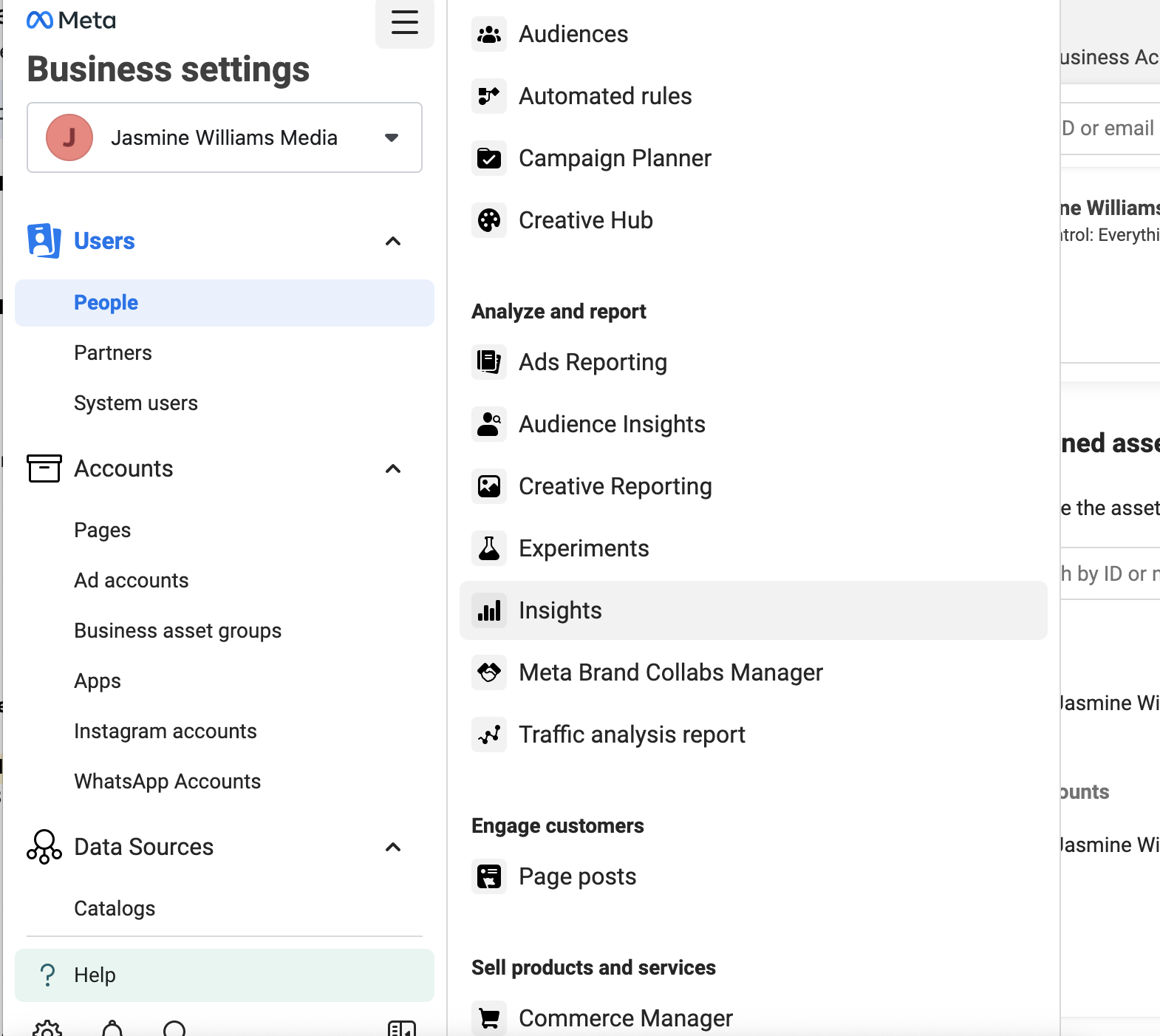
Create a Business Manager account — This serves as a container for your ad account, pages, payment details, and permissions. (samify.in)
-
Link a Facebook Page (and optionally Instagram) — Ads must be run through a Page (not a personal profile). If you plan to run on Instagram too, linking your Instagram account helps. (samify.in)
-
Add payment information — This is needed before you launch any ad. Double‑check your time zone and currency settings (once set, they may be hard to change). (samify.in)
Once this is done, you can access the ad‑creation platform inside the dashboard (often known as Meta Ads Manager) where you’ll build campaigns. (digitalgeetha.com)
Step 2: Choose Your Goal (Campaign Objective)
Every ad campaign you create needs a clear goal — Facebook asks you to pick an objective before doing anything else. This helps the system show your ad to people most likely to do what you want. Common objectives are:
-
Awareness (brand visibility)
-
Traffic (send people to a website or landing page)
-
Engagement (get likes, comments, shares)
-
Leads (collect contact info via a form)
-
App promotion (if you have an app)
-
Sales / Conversions (online purchases or offline goals) (Metricool)
Choosing the right objective helps you get better results. For example, if you want more visitors to your website, pick “Traffic.” If you want more buyers, choose “Sales” or “Conversions.”
Step 3: Define Your Audience
One of the biggest strengths of Facebook Ads is its targeting power. You can define who sees your ad based on:
-
Location (country, state, city, or even radius around a spot) (Metricool)
-
Age, gender, language, demographics (digitalgeetha.com)
-
Interests and behaviors (for example: people interested in fitness, cooking, online shopping, etc.) (viralvyapar.com)
-
Custom Audiences (people who visited your website before) or Lookalike Audiences (people similar to your best customers) — useful when you have existing customers/data. (Metricool)
For beginners, the simpler the segment, the easier it is to track results. As you run more ads, you can refine your audience based on actual performance.
Step 4: Choose Placements & Budget
Placements
You can choose where your ad appears:
-
On Facebook feed, stories, sidebars
-
On Instagram feed/stories/reels
-
Messenger
-
Audience‑network (partner apps and websites) (Metricool)
If you’re new, it’s often best to start with “Automatic/Advantage+ Placements,” which lets Facebook decide where your ad may perform best. (Caspar Digital)
Budget & Schedule
Decide how much you want to spend:
-
Daily budget — spend a fixed amount each day. Good for ongoing campaigns. (AdvertiseMint)
-
Lifetime budget — total spend over entire campaign, useful if you want a fixed-cost campaign over set days. (AdvertiseMint)
For beginners, it's wise to start small — use modest amounts (even small budgets can yield useful data). (fstahminadm.com)
Step 5: Create Your Ad — Make It Engaging 🎨
This is the creative part. What people actually see in their feed.
-
Choose ad format: single image, video, carousel (multiple images), or collection. (digitalmarketingagencyinnoida.webalphatech.com)
-
Use high‑quality visuals. Clear images or short videos perform better than pixelated or blurry ones. (Caspar Digital)
-
Write ad copy (text) that is simple, clear, and benefit-driven. Don’t just list features — show what’s in it for the user. (viralvyapar.com)
-
Include a strong call‑to‑action (CTA): “Shop Now”, “Sign Up”, “Learn More”, “Get Offer”, etc. That encourages people to click or engage. (viralvyapar.com)
Good creatives + clear messaging + relevant offer = a shot at real results.
Step 6: Launch — Review & Publish
Before you hit “Publish,” check everything carefully:
-
Is the ad objective correct?
-
Is the audience defined properly (location, age, interests)?
-
Are placements and budget set?
-
Is your creative (image/video + text + CTA) correct?
-
If relevant, is your website link correct, and is tracking (like Pixel) installed properly? (Caspar Digital)
Once you publish, your ad goes for review by Facebook. After approval (which often happens quickly), your ad starts showing as per your setup. (fstahminadm.com)
Step 7: Monitor Performance & Optimize
Running the ad is just the beginning. To get the most out of your money, you need to watch how your ads perform — and adjust.
-
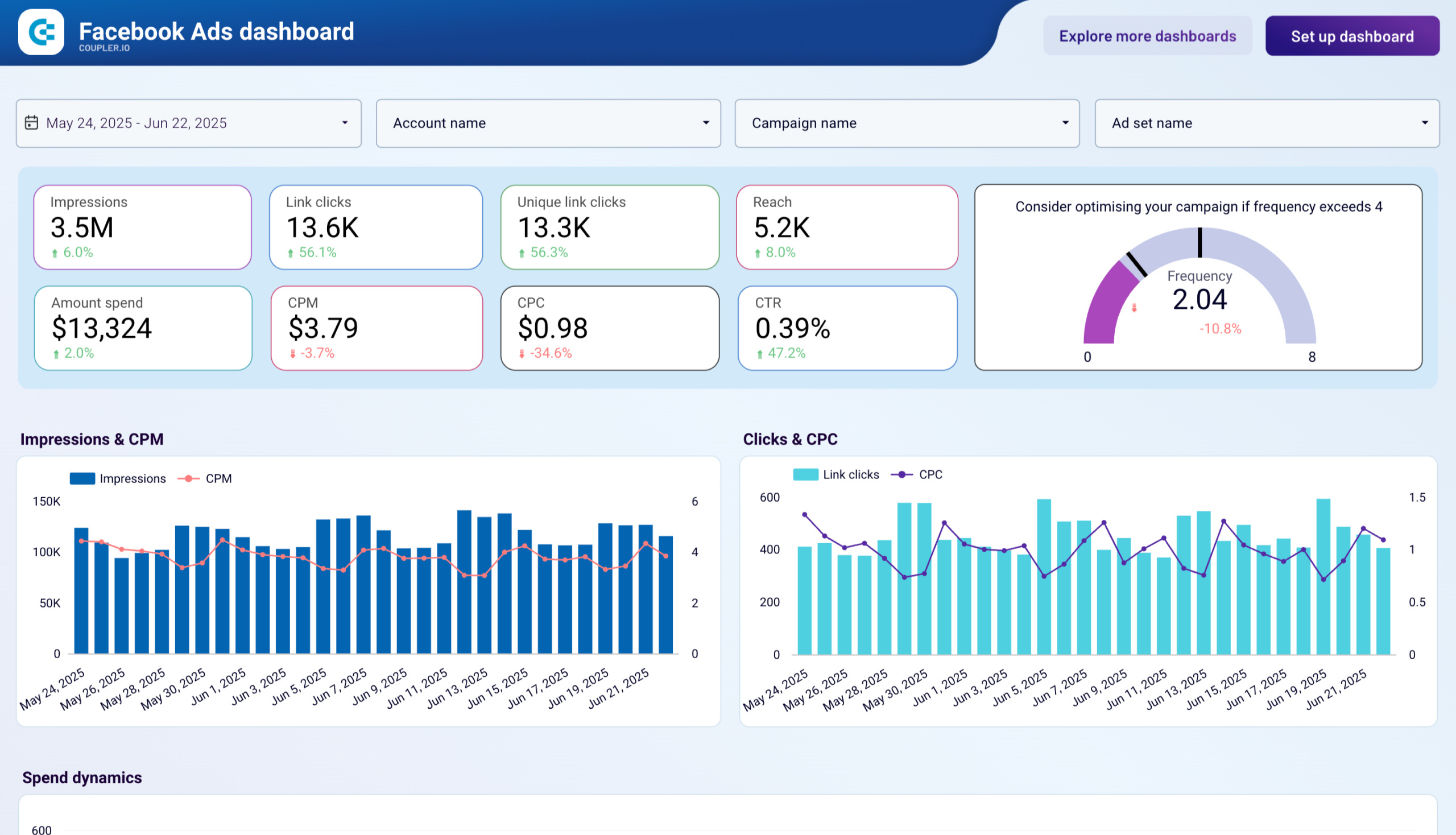
Use the dashboards inside Ads Manager to see metrics like impressions (how many see it), clicks, click‑through rate (CTR), cost per result, conversions, etc. (digitalmarketingagencyinnoida.webalphatech.com)
-
Don’t expect instant success. Sometimes your first version won’t deliver good results. That’s normal. Use A/B testing: run multiple versions of ad (different images, headlines, audiences) to see what works. (harisahmeddigital.com)
-
After a few days (commonly 3–5 days), check results before making big changes. Give Facebook time to learn. (viralvyapar.com)
-
Pause or stop ads that underperform. Scale up (increase budget or run more ads) for those that do well. That’s how you grow efficiently. (Caspar Digital)
Common Mistakes Beginners Make — And How to Avoid Them
Even though Facebook Ads is accessible, many beginners stumble. Here’s what to watch out for:
-
Choosing the wrong objective — If your goal is sales, but you pick “Engagement,” you may get likes but no conversions. Always align objective with end goal. (Caspar Digital)
-
Over‑targeting or under‑targeting audience — Too narrow means few people will see; too broad means many irrelevant views. Strike a balance. (fstahminadm.com)
-
Poor creatives — Low‑quality images, weak copy, no strong CTA — this kills clicks. Visuals and message matter. (AdvertiseMint)
-
Changing things too soon — If you tweak or pause ads too early, you might never see real performance. Give time for data to accumulate. (viralvyapar.com)
-
Not tracking results or ignoring data — Without monitoring, you won’t know if ads work. Always check metrics and optimize. (digitalgeetha.com)
Tips to Get Better Results over Time
As you grow more comfortable, here are a few practices that can help make your ads more effective:
-
Use multiple ad variations — different images/videos, headlines, or even target slightly different audiences. This helps you find the best performing combination. (harisahmeddigital.com)
-
Focus on mobile‑first design. Many users browse Facebook from mobile devices — make sure your ad looks good on phone screens. (digitalmarketingagencyinnoida.webalphatech.com)
-
Refresh your creatives (images, copy) every few weeks to avoid ad fatigue. When the same people see same ads repeatedly, engagement drops. (Caspar Digital)
-
If you have a website, install the tracking tool (for example, Meta Pixel) — it helps you track conversions and let Facebook optimize ads toward real results. (FlashID)
-
Be patient. Ads are rarely perfect overnight. Collect data, learn what works, and slowly scale up.
Real Story — A Beginner’s Example
One beginner ran a lead‑generation ad for a small online boutique. They started with a modest daily budget, targeted a specific audience (women 22–35 years in their city), used a bright image + clear offer + CTA, and got good results — many clicks and even leads at low cost. This shows that even a small budget can pay off when targeting and creative are done properly. (fstahminadm.com)
It’s a good reminder: you don’t need big money to start. With clarity about what you want, some smart targeting, and good ad design — you can begin seeing meaningful results early.
Conclusion — Start Small, Learn Fast, Improve Gradually
Facebook Ads doesn’t have to be complicated. With a proper setup, clear goal, good targeting, and thoughtful creatives — even beginners can start running ads.
The key is to start small, monitor what works, and build on success. Ads are like experiments: you test, gather data, tweak, and improve. Over time, you’ll get better at reaching the right audience, spending wisely, and getting returns.